Zombie Titans Controls
Pilot cleanly on every platform — hangar to Behemoth.
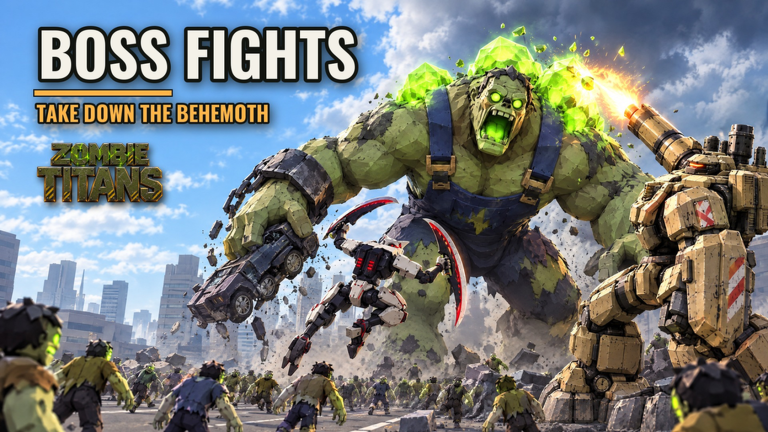
Clean inputs win sieges. Zombie Titans asks you to move a giant mech, aim under flyer pressure, and fire kit abilities while the wall takes damage. This page covers how to think about controls on PC, mobile, and console, how cockpit view changes your aim picture, and how to bind habits to the March → Surge → Behemoth cycle. Pair it with Getting Started if you are brand new, then move into titan builds once the sticks and buttons feel automatic.
Roblox games can expose rebindable keys and platform-specific overlays. Always confirm the in-game settings panel for your device. The layouts below describe the control model you should expect as a titan pilot, not a promise that every key is frozen forever.
Control model: what every pilot must do
Regardless of platform, successful pilots loop the same actions:
- Move along the wall line without abandoning the gate for vanity chases.
- Aim at ground packs during March and at flyers the moment Surge densifies.
- Fire primary weapons for continuous clear (gatlings, arc gun, cannon, scythes).
- Spend kit abilities on cooldown windows that match the siege phase — rockets, Tesla, mortars, dashes, and so on.
- Toggle cockpit view when you need a tighter sight picture for air targets or Behemoth weak moments.
- Redeploy / return via hangar flow between rounds to adjust upgrades and titan choice.
If any of those six feels clumsy, fix the control layer before you blame the titan. A Mammoth with bad aim still loses to a Bulldog who can track Carriers.
PC controls
On PC you get the highest precision ceiling. Expect standard Roblox movement with keyboard locomotion and mouse look:
- WASD — strafe and advance along the wall. Prefer lateral movement that keeps the gate in your peripheral vision.
- Mouse — camera and aim. Lower horizontal sensitivity if flyers overshoot; raise it slightly if Behemoth tracking feels sticky.
- Primary fire — left mouse for continuous weapons (Bulldog gatlings, Volt arc gun, Mammoth cannon shots, Mantis melee swings depending on kit timing).
- Ability keys — usually number row or nearby binds shown on the titan UI for rocket pods, swarm missiles, ground slam, lightning strikes, Tesla field, EMP pulse, mortar barrages, carpet bombs, siege ram, blade dashes, leap strikes, and berserk.
- Jump / vertical adjust — space when the titan kit supports hops or when you need a quick sightline change.
- Cockpit toggle — use the in-game control shown in settings or on-screen prompt to swap third-person and cockpit framing.
- Menu / hangar — open Roblox escape menus carefully mid-fight; prefer dying-to-menu only between cycles.
PC tips that matter in Surge:
- Turn on whatever mouse-lock or shift-lock option feels stable for your camera style, then stop fiddling mid-Behemoth.
- Bind rarely used menus away from ability keys so you never open inventory while trying to EMP a flyer pack.
- If you play Ultrawide, keep the gate somewhere in the inner third of the screen so edge flyers do not sneak past.
After a patch, re-open settings once. Balance updates rarely rewrite binds, but UI prompts can shift. Check launch notes when something feels off.
Mobile and tablet controls
Mobile is fully supported and common in eight-player lobbies. You are fighting the touch UI as much as the horde:
- Left stick / virtual joystick — movement. Park your thumb so micro-strafes stay smooth during Behemoth sidesteps.
- Right aim area — drag to look. Many pilots slightly lower look sensitivity so Gasbags are trackable.
- Fire button — hold for continuous primaries; tap-rhythm for kits that reward timed melee or charged shells.
- Ability buttons — on-screen icons for each titan skill. Enlarge or reposition them in any UI options the game exposes so Surge panic does not miss the Tesla or slam.
- Cockpit toggle control — keep it reachable without covering the fire button. Cockpit helps when tablet glare washes out distant flyers.
- Deploy from hangar — confirm you are not fat-fingering a different titan than the one you upgraded.
Mobile-specific habits:
- Play in landscape with a stable grip. Portrait play makes flyer tracking miserable.
- If your device supports higher frame-rate modes in Roblox settings, prefer stability over max cosmetics.
- Callouts still matter: type short pings or use voice if your group has it — “Carriers mid” saves gates.
Tablet players get more screen for ability icons. Use that space. Cramped phone UIs cause more failed Behemoth bursts than weak scrap investment.
Console controls
Console pilots use the Roblox gamepad overlay. Expect:
- Left stick — move the titan along the wall.
- Right stick — aim and camera.
- Triggers — primary fire and sometimes alternate fire depending on kit mapping.
- Bumpers / face buttons — ability casts (rockets, EMP, carpet bombs, dashes, berserk, and the rest of each titan kit).
- View / menu buttons — hangar and settings access between fights.
- Cockpit toggle — map awareness of which button swaps camera; practice it in March when stakes are lower.
Console tips:
- Set stick deadzones so micro-aim against Screechers does not jitter.
- Avoid maxing look speed on day one; Surge flyer swarms punish oversensitive sticks.
- If you share a lobby with mobile and PC friends, agree on simple callouts because typing is slower on gamepad.
Cross-platform matchmaking means you will see mixed input lobbies constantly. Respect that a mobile Mantis may need clearer peel calls than a mouse Bulldog.
Cockpit view: when to toggle
Cockpit view is a first-class feature in Zombie Titans. Use it as a siege tool:
- Third-person shines for March lane awareness, spotting side breaches, and coordinating with seven teammates.
- Cockpit shines for flyer leads, precise Behemoth focus, and reading how close a Carrier drop is to the gate.
Toggle rules of thumb:
- Start March in third-person to learn spawn rhythms.
- Flip to cockpit when Surge flyers appear above the wall.
- Stay in cockpit for the opening Behemoth burn if your role is pure damage.
- Flip back to third-person if you are the peel pilot who must watch multiple lanes.
Do not toggle every two seconds. Each swap costs a moment of aim continuity. Practice the toggle in low-pressure March segments until muscle memory lands.
Ability discipline by titan kit
Controls are useless if you dump the kit at the wrong time. Map buttons to roles:
- Bulldog — hold gatlings for trash; save rockets / swarm missiles for dense Surge packs or flyer clusters; ground slam when melee zombies reach the wall line.
- Volt — arc gun for continuous pressure; lightning strikes and Tesla field for clumps; EMP pulse when flyer electronics-style threats or dense air packs need a hard interrupt window.
- Mammoth — siege cannon for steady heavy damage; mortars and carpet bombs for Surge zones; siege ram when a breakthrough needs a physical answer.
- Mantis — scythes for close clear; blade dashes and leap strikes to delete priority targets; berserk for emergency wall saves or Behemoth finish windows.
Learn which button is which in the hangar before the Behemoth spawns. The beat Behemoth guide assumes you can fire burst on demand.
Aiming priorities during a siege cycle
March: prioritize zombies touching or about to touch the wall. Do not tunnel far-field kills.
Surge: split attention — one eye on ground density, one on Screechers, Gasbags, and Carriers. Ability buttons should be warm, not empty.
Behemoth: assign focus fire. Damage dealers lock cockpit and burn; peel pilots keep air clear so the burn team is not staggered.
If your aim drifts, lower sensitivity one notch and widen your strafe. More sensitivity is not more skill when the gate is the win condition.
Hangar inputs and pre-fight checks
Before deploy:
- Confirm the correct titan is selected.
- Glance at ability icons so cooldown expectations match your binds.
- Claim daily supply and any codes outside the fight so you are not menuing during Surge.
- Review hangar upgrades so you know whether you are anti-air, artillery, or melee peel today.
Deploy from the hangar roof, land with the wall in view, and settle your camera mode before the first big wave.
Accessibility and comfort
Long sieges punish bad ergonomics. PC players should support wrists. Mobile players should avoid overheating devices on max brightness forever. Console players should take stick-hand breaks between lobbies. Comfort is a control setting too — tired thumbs miss Carriers.
If a bind permanently fights you, rebind it. Pride in default keys loses gates.
Practice drills (five minutes)
- Strafe the wall for sixty seconds without losing sight of the gate.
- Toggle cockpit ten times while tracking a distant point.
- Fire primary for twenty seconds, then cast each ability once on cooldown rhythm.
- Call one flyer type out loud (or in chat) every time you spot it.
- Redeploy and re-select your titan without misclicking.
Run that drill after reading Getting Started and before your next ranked-feeling lobby. For economy after you can actually aim, farm with the scrap guide. For kit investment order, open titan builds and the titans tier list.
Controls do not replace teamwork, but bad controls make teamwork impossible. Own your platform, own the cockpit toggle, and keep the gate in frame.
Frequently Asked Questions
Quick answers for Zombie Titans pilots.
Does Zombie Titans support mobile and console?
Yes. The game plays on PC, mobile, tablet, and console with cross-platform lobbies and a server size of eight.
What is cockpit view for?
Cockpit view gives a tighter pilot framing for precise aim, especially against flyers and during Behemoth burn windows. Toggle it when the phase needs accuracy over wide awareness.
Where do I rebind keys?
Use the in-game and Roblox settings panels for your platform. Confirm ability buttons after any UI update before a serious Surge hold.
What should I prioritize aiming at first?
Keep the wall clear in March, peel Screechers, Gasbags, and Carriers in Surge, then coordinate Behemoth focus fire without abandoning anti-air.
Why do my abilities feel useless?
Usually timing, not the bind. Save burst tools for Surge density and Behemoth windows instead of dumping everything the moment March starts.